
Automatic ATK fiscalization
Every receipt is signed and sent to ATK at the moment of sale, with a QR code for verification.
Sales software with fiscal receipts
KONMAT connects your till to ATK, keeps stock and reports in order and keeps selling when the internet drops. Built for cashiers — every action is one key away.
No expensive add-on modules. Install, set up and start selling.
Every receipt is signed and sent to ATK at the moment of sale, with a QR code for verification.
When the connection drops, receipts are stored signed and sent automatically once it is back.
One master computer holds the database; other tills join with a code — all sharing the same items and stock.
Barcodes, categories, units, dated promotions. Prices with and without VAT are calculated for you.
Daily takings per cashier, goods sold between dates, returns and cancellations — ready to print or export to Excel.
Users with roles (Admin, Operator, Auditor), a log of every change and automatic data backups.
At the till
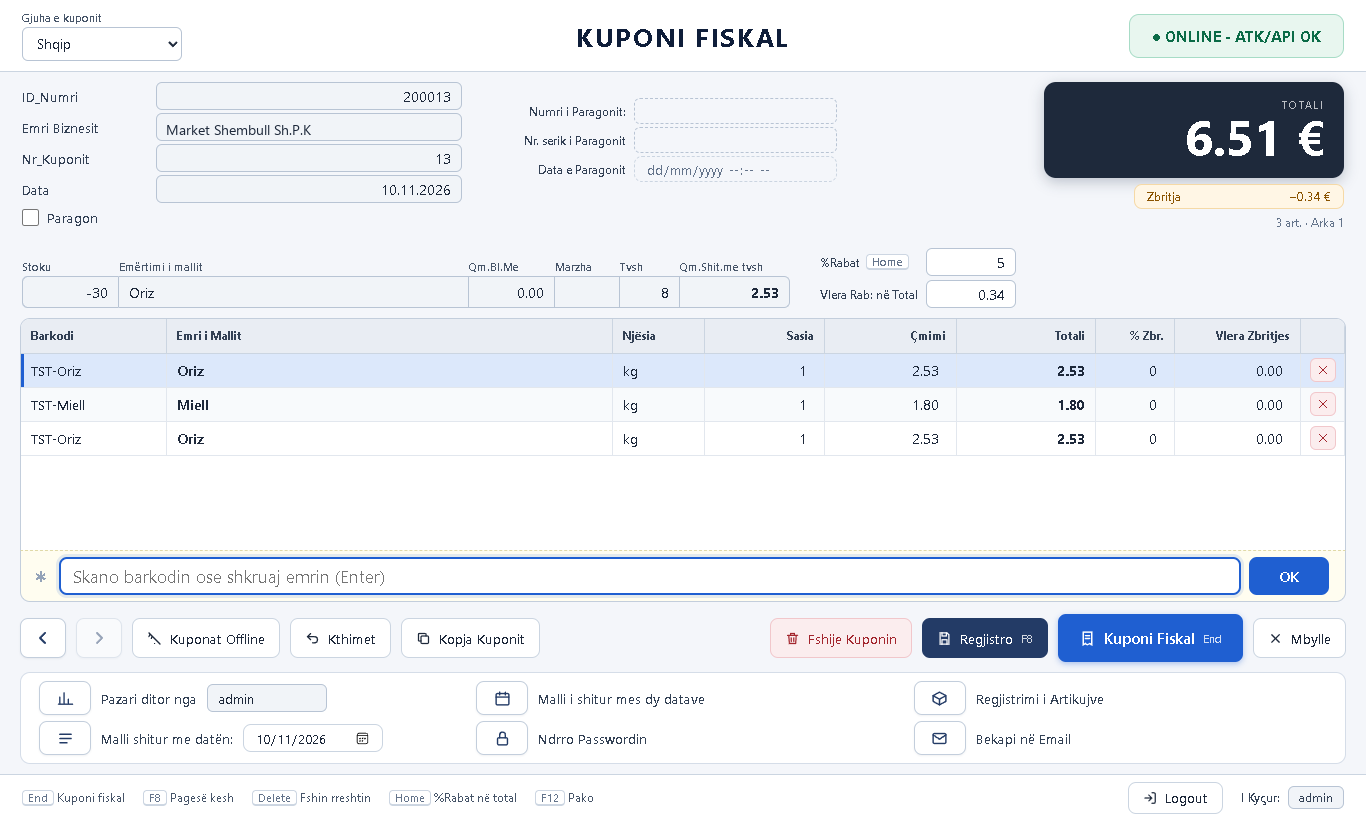
The receipt screen is laid out the way cashiers are used to: big total on top, items in the middle, buttons below.
In the office
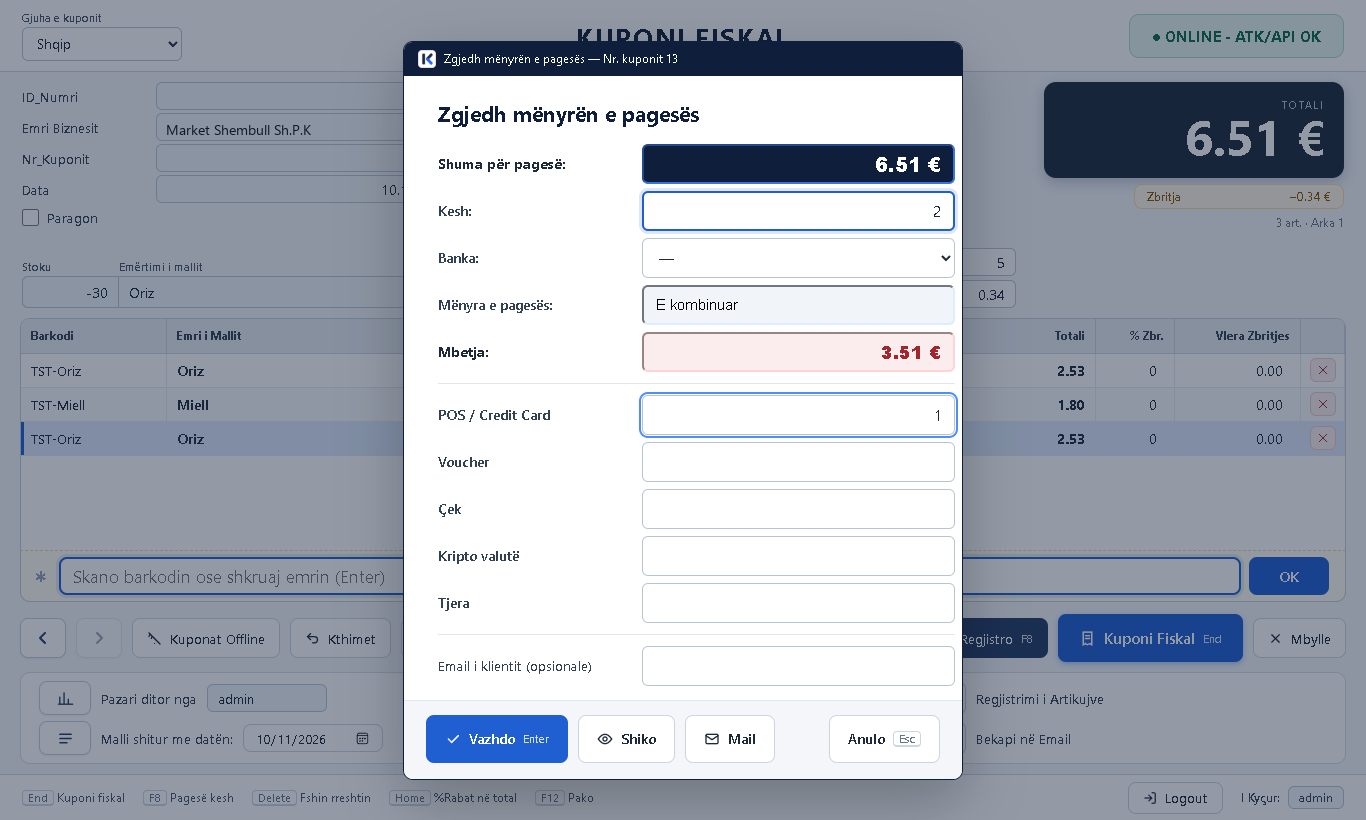
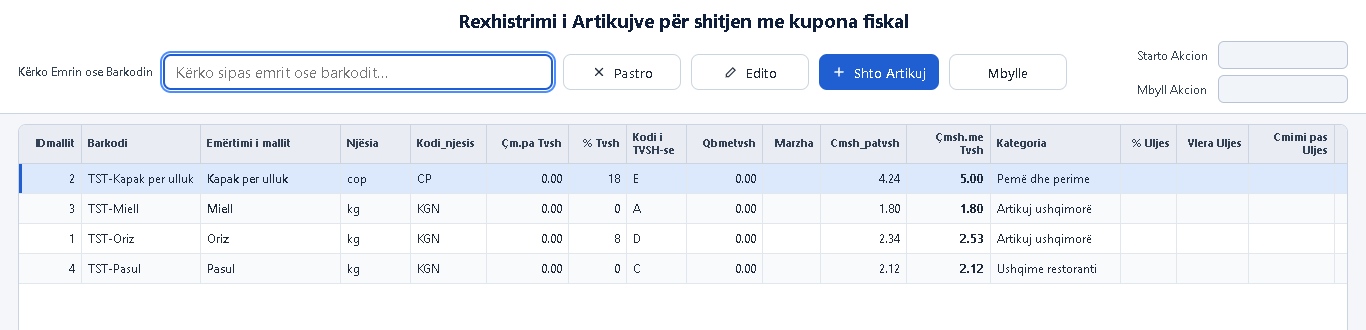
Register items once and KONMAT takes care of the rest: VAT, margin and stock after every sale.
Many items, many customers, a till that must never stop.
Quick receipts, simple returns and a clear view of sales.
All tills on one database, each with its own fiscal numbering.
If you issue fiscal receipts, KONMAT makes the job easier.
One installer, database included. Choose the language, create the administrator — done.
Business details, licence, till and ATK connection — step by step, with a checklist.
Press F1 and start issuing fiscal receipts. We are here if you need help.
After installation you get a 7-day trial to prepare your items and till.
Yes. Receipts are signed and stored on the computer and sent to ATK automatically when the connection returns. Sales never stop.
As many as you need. One computer is the master; other tills on the same network join with a pairing code.
A computer with Windows 10 or 11 (64-bit) and a thermal receipt printer installed in Windows.
The licence is yearly and tied to your business (NUI). After installing you get a 7-day trial. Ask us for an offer for pricing.
Albanian, English and Serbian — both the program screens and the receipt.
KONMAT sends receipts to ATK following the official fiscalization specification. Certification is in progress — contact us for the current status.
Write to us and we will reply with an offer for your business.
Questions, an offer or a demo of the program — write to us.